Conditional text in Excel when a cell has a value
This might seem trivial to us 'developer' types, but it was today's "Jane's Excel question".
This might seem trivial to us ‘developer’ types, but it was today’s “Jane’s Excel question”.
You have one or more cells in a spread sheet. You want to display some text “Y” or “N” depending on whether the cell has anything in it. eg.
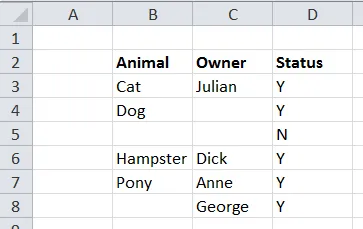
One solution is to use this formula:
=IF(LEN(B3)>0, "Y", "N")
This checks the length of the text in the cell. An empty cell will have a length of zero. Anything greater than zero means the cell has something in it.