Upgrading Azure Database for PostgreSQL flexible server
How to upgrade the PostgreSQL server in Azure, with examples using Terraform, and some workarounds for known issues you may encounter during the upgrade process.
I was working on a project recently that made use of Azure Database for PostgreSQL flexible server. The system had been set up a while ago, and so when I was reviewing the resources in the Azure Portal, I noticed a warning banner for the PostreSQL server:
Your server version will lose standard Azure support on March 31, 2026. Upgrade now to avoid extended support charges starting April 1, 2026.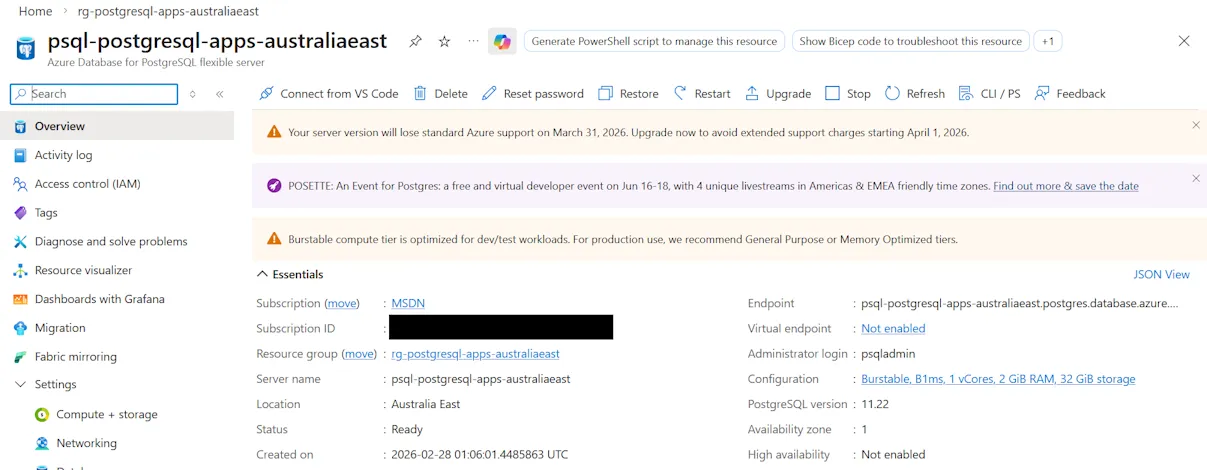
Terraform was being used for Infrastructure as Code, and it looked similar to this:
resource "azurerm_postgresql_flexible_server" "server" {
  name                              = "psql-postgresql-apps-australiaeast"
  resource_group_name               = data.azurerm_resource_group.rg.name
  location                          = data.azurerm_resource_group.rg.location
  version                           = "11"
  delegated_subnet_id               = azurerm_subnet.example.id
  private_dns_zone_id               = azurerm_private_dns_zone.example.id
  public_network_access_enabled     = false
  administrator_login               = "psqladmin"
  administrator_password_wo         = ephemeral.random_password.postgresql_password.result
  administrator_password_wo_version = 1
  zone                              = "1"

  storage_mb   = 32768
  storage_tier = "P4"

  sku_name   = "B_Standard_B1ms"
  depends_on = [azurerm_private_dns_zone_virtual_network_link.example]
}
As you can see from the code and screenshot above, the PostgreSQL version in use was 11. Doing a bit of research, I found version 11 was first released back in 2018, and the the final minor update 11.22 was released in 2023.
Azure provides standard support for PostgreSQL versions (documented at Azure Database for PostgreSQL version policy). There is also the option of paying for extended support, though in the case of v11 that only gets you to November this year, so just a few extra months.
In my case, I wanted to do a test of the upgrade process first, so I restored a backup of the existing server to a new resource. This essentially creates an exact copy of the server at the same version.
While we are using Infrastructure as Code, I decided to use the Azure Portal to test the upgrade, as I figured if there were any problems, they might be easier to understand, rather than try and interpret weird Terraform/AzureRM errors.
Following the upgrade documentation, I clicked on the Upgrade in the Portal.
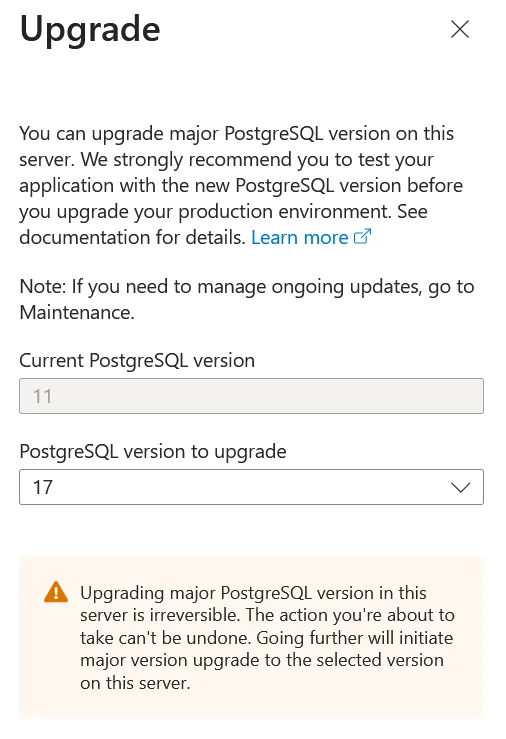
This initiates a deployment, which depending on how much data you have and the particular SKU you’re running on (eg. how fast the VM you’re using is), this may take quite a while. One time it took over an hour (which was important as that may be longer than the default Terraform lifecycle, and also the pipeline job timeouts).
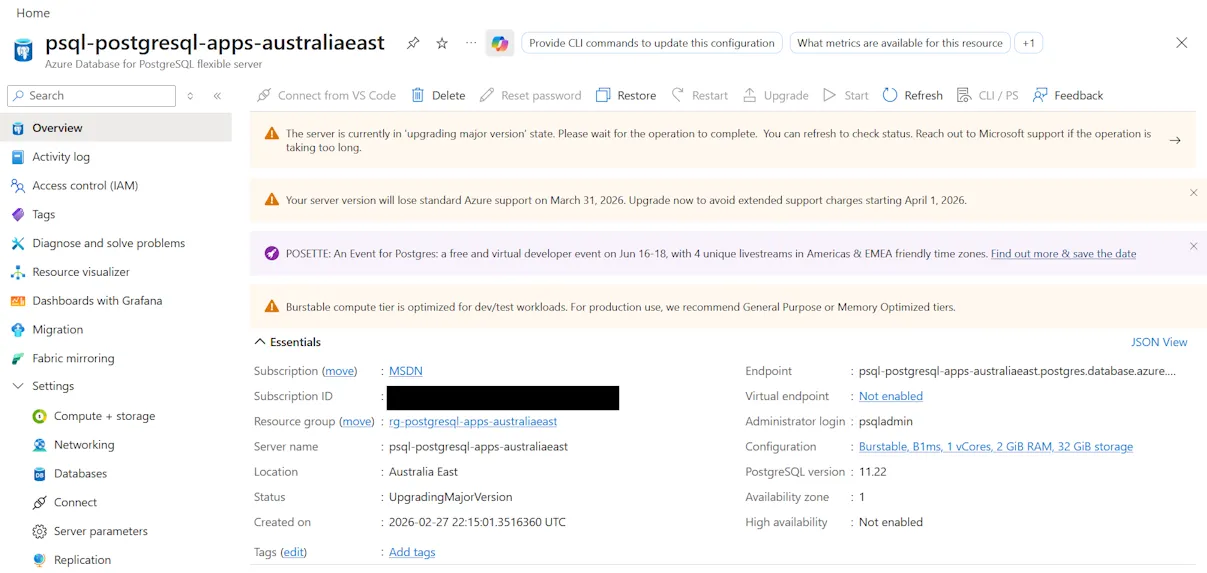
If that succeeds, then you should be good to try the real thing with IaC.
Upgrading with Terraform
To upgrade a major version with Terraform, you need to make a couple of changes to your azurerm_postgresql_flexible_server resource:
- The
versionproperty should be updated to the desired version - The
create_modeproperty should be set toUpdate(if it wasn’t specified then the default is ‘Default’)
resource "azurerm_postgresql_flexible_server" "server" {
  name                              = "psql-postgresql-apps-australiaeast"
  resource_group_name               = data.azurerm_resource_group.rg.name
  location                          = data.azurerm_resource_group.rg.location
  version                           = "17"
  delegated_subnet_id               = azurerm_subnet.example.id
  private_dns_zone_id               = azurerm_private_dns_zone.example.id
  public_network_access_enabled     = false
  administrator_login               = "psqladmin"
  administrator_password_wo         = ephemeral.random_password.postgresql_password.result
  administrator_password_wo_version = 1
  zone                              = "1"
  create_mode                       = "Update"

  storage_mb   = 32768
  storage_tier = "P4"

  sku_name   = "B_Standard_B1ms"
  depends_on = [azurerm_private_dns_zone_virtual_network_link.example]
}
The weird thing (which I assume is a side-effect of Terraform state) is that even after you’ve completed the upgrade, you can’t change create_mode back to Default - Terraform will throw an error if you try that. Instead you just need to leave it set to Update, but as long as the version property doesn’t change then Terraform will leave it at the same version.
Adjust your timeouts
I was using Azure Pipelines, so I added a timeoutInMinutes property to the job and set it to 90 minutes. Be aware that there are different default and maximum timeouts depending on what kind of build agent you use.
Likewise the Terraform azurerm_postgresql_flexible_server resource has default timeouts. You may want to specify a timeout block to extend those values if necessary.
Gotchas
I hit some compatibility issues with the PostgreSQL instance I was attempting to upgrade. The Portal displayed the following error(s):
The major version upgrade failed precheck. Upgrading shared_preload_libraries library pg_failover_slots from source version 11 to target version 17 is not supported.;
Upgrading shared_preload_libraries library pg_failover_slots from source version 11 to target version 17 is not supported.;
Upgrading shared_preload_libraries library pg_failover_slots from source version 11 to target version 17 is not supported.;
Upgrading shared_preload_libraries library pg_failover_slots from source version 11 to target version 17 is not supported.;
Upgrading shared_preload_libraries library pg_failover_slots from source version 11 to target version 17 is not supported.;
Upgrading with password authentication mode enabled is not allowed from source version MajorVersion11. Please enable SCRAM and reset the passwords prior to retrying the upgrade.
There’s two issues here:
- The
pg_failover_slotsshared preloaded library is not supported for upgrading - Legacy MD5 passwords are deprecated in newer versions, and “SCRAM” needs to be enabled
How do we resolve these with Infrastructure as Code? In this case as we’re using Terraform, we need to map/import those settings and then we can modify them. We make use of the azurerm_postgresql_flexible_server_configuration resource for this.
The value properties should initially match the existing values (eg. Make sure that Terraform thinks they are unchanged). A trick to get the existing values is to run the Terraform in ‘plan’ mode and take note of what values it can see from and then copy those into your code.
import {
  to = azurerm_postgresql_flexible_server_configuration.accepted_pasword_auth_method
  id = "${azurerm_resource_group.group.id}/providers/Microsoft.DBforPostgreSQL/flexibleServers/psql-postgresql-apps-australiaeast/configurations/azure.accepted_password_auth_method"
}

resource "azurerm_postgresql_flexible_server_configuration" "accepted_pasword_auth_method" {
  name      = "azure.accepted_password_auth_method"
  server_id = azurerm_postgresql_flexible_server.server.id
  value     = "md5"
}

import {
  to = azurerm_postgresql_flexible_server_configuration.password_encryption
  id = "${azurerm_resource_group.group.id}/providers/Microsoft.DBforPostgreSQL/flexibleServers/psql-postgresql-apps-australiaeast/configurations/password_encryption"
}

resource "azurerm_postgresql_flexible_server_configuration" "password_encryption" {
  name      = "password_encryption"
  server_id = azurerm_postgresql_flexible_server.server.id
  value     = "md5"
}

import {
  to = azurerm_postgresql_flexible_server_configuration.shared_preload_libraries
  id = "${azurerm_resource_group.group.id}/providers/Microsoft.DBforPostgreSQL/flexibleServers/psql-postgresql-apps-australiaeast/configurations/shared_preload_libraries"
}

resource "azurerm_postgresql_flexible_server_configuration" "shared_preload_libraries" {
  name      = "shared_preload_libraries"
  server_id = azurerm_postgresql_flexible_server.server.id
  value     = "anon,auto_explain,pg_cron,pg_failover_slots,pg_hint_plan,pg_partman_bgw,pg_prewarm,pg_stat_statements,pgaudit,pglogical,timescaledb,wal2json"
}
Once you’ve got those in place then you can make the changes to remove the upgrade block:
resource "azurerm_postgresql_flexible_server_configuration" "accepted_pasword_auth_method" {
  name      = "azure.accepted_password_auth_method"
  server_id = azurerm_postgresql_flexible_server.server.id
  value     = "md5,SCRAM-SHA-256"
}

resource "azurerm_postgresql_flexible_server_configuration" "password_encryption" {
  name      = "password_encryption"
  server_id = azurerm_postgresql_flexible_server.server.id
  value     = "SCRAM-SHA-256"
}

resource "azurerm_postgresql_flexible_server_configuration" "shared_preload_libraries" {
  name      = "shared_preload_libraries"
  server_id = azurerm_postgresql_flexible_server.server.id
  value     = "anon,auto_explain,pg_cron,pg_hint_plan,pg_partman_bgw,pg_prewarm,pg_stat_statements,pgaudit,pglogical,timescaledb,wal2json"
}
This will allow any existing MD5 passwords to continue to work, but any new passwords will use the more modern SCRAM-SHA-256.
For the shared_preload_libraries, we’ve removed the offending pg_failover_slots from the list.
Tips
- Temporarily upgrade your server SKU to beefier hardware so the upgrade goes faster. If you’re using IaC then make sure you use that to make the change.
- Note that if you change the separate storage performance tier (IOPS), you will need to wait 12 hours before downgrading again.
Completion
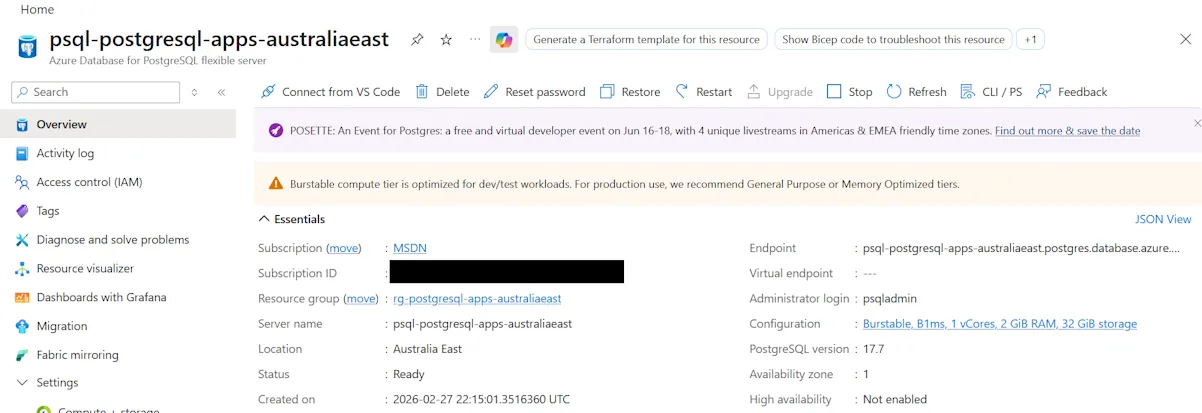
If everything goes to plan, you should end up with your PostgreSQL resource upgraded to the version that you specified. Here’s my resource upgraded to 17.7. v18 is actually available but I wasn’t offered it due to ‘regional capacity constraints’, which explains why the ‘Upgrade’ button is now disabled.
I’ve published source code for a working example of Azure Database for PostgreSQL flexible server with an Azure Container app and using a VNet at https://github.com/flcdrg/terraform-azure-postgresql-containerapps