Where did this new Files app come from?
What is this new 'Files' app that suddenly appeared on my Windows taskbar, and how do you make it go away?
Recently when starting Windows 11 I noticed that a new icon had appeared on the taskbar. It wasn’t too long after I’d upgraded to 25H2 so my first assumption was it was part of that. The annoying thing was there wasn’t an obvious way to make it go away.

Right-clicking on the icon just gave an option to close the application, but it wasn’t permanent. The next time I signed into Windows then there it was again. Kind of annoying.
On my computer, I searched in Windows Settings | Apps, but no ‘Files’ application was listed - very odd.
Searching online for “Windows 11 Files app” brings up heaps of results, but none matched the icon that I was seeing. So I decided to to a bit of detective work to see if I could figure out what this thing was and where it came from. I looked in Task Manager, and sure enough there’s a Files.exe process running:

Ah interesting - there’s “M365Companions” in the path. Maybe adding that to my online search keywords might help? Yes, that made all the difference!
I turned up this Overview of Microsoft 365 companion apps documentation. That’s more of an IT admin page, but it links to a more end-user friendly Getting started with Microsoft 365 companions page.
That second page does say “You can unpin or remove the apps from your taskbar at any time.” which is obviously not correct. Not sure if that’a bug in the software or the documentation.
So it turns out there’s 3 of these ‘companion’ apps:
- People companion: Find people in the organization (and others they have communicated with), pin close collaborators to accelerate workflows, and quickly learn about people in current meetings without disrupting workflow.
- Files companion: Find your Microsoft 365 files, preview file contents, share files with colleagues, and access recently used documents.
- Calendar companion: Access Microsoft 365 calendar, view upcoming events, join meetings, and search appointments directly from the taskbar.
I’m sure someone will find them useful, but for now I just wanted them to go away.
Armed with that extra information I went back to Windows Settings | Apps and this time searched for ‘companion’. Sure enough there is a “Microsoft 365 companion apps” app listed.
Clicking on the “…” menu gives an option to Uninstall, or if you click on Advanced options you see something similar to this:
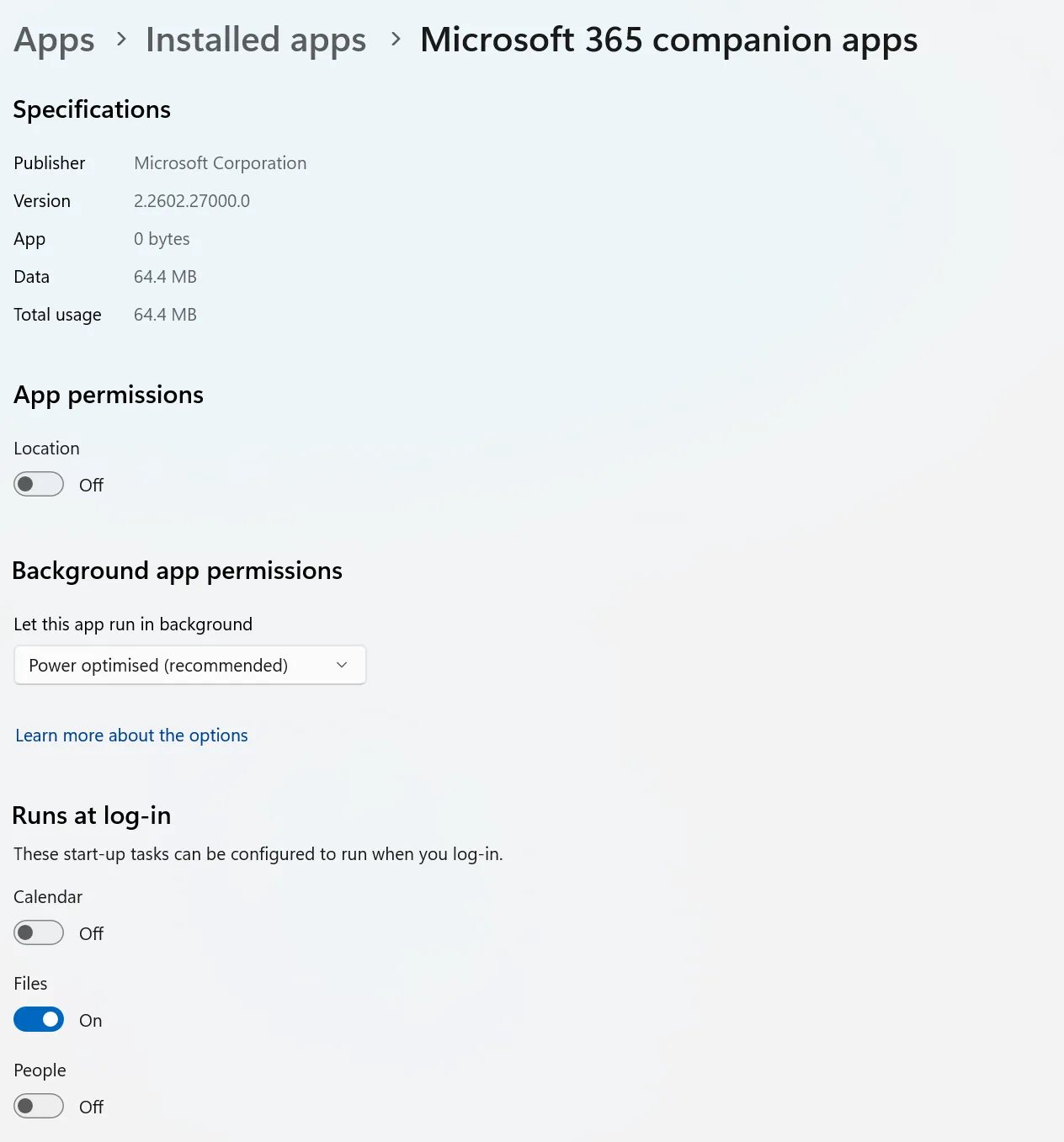
For now I toggled Files off, so it won’t start automatically the next time I sign in.
Maybe in the future I might want to make use of these apps, but for now that will do.