Exam AZ-401: Designing and Implementing Microsoft Agentic DevOps Solutions (beta)
I took the new AZ-401 exam but the experience as I was trying to sign in for the exam left a lot to be desired.
Yesterday I took the exam AZ-401: Designing and Implementing Microsoft Agentic DevOps Solutions
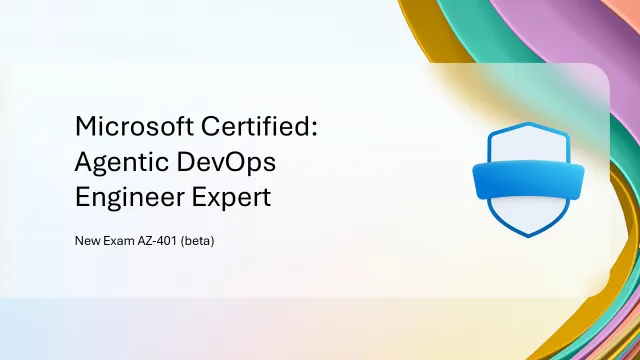
It’s a ‘beta’ exam which means that a) I used a special code to get a discounted price and b) I don’t find out if I’ve passed for a few more weeks - probably around the time that the exam becomes generally available.
When Microsoft announced the availability of AZ-401 they did mention that “Exam AZ-400: Designing and Implementing Microsoft DevOps Solutions and Microsoft Certified: DevOps Engineer Expert will retire on February 1, 2027”
Passing AZ-401 along with either GH-300: GitHub Copilot or AZ-104: Microsoft Azure Administrator is a prerequisite for gaining the Microsoft Certified: Agentic DevOps Engineer Expert certification.
If you look at the study guide for this exam, you might not be surprised to learn that it’s quite similar to AZ-400, with just a bit more AI thrown in.
I previously passed AZ-400 and as it turned out I recently got an email saying the renewal test for that certification was available. I did that earlier in the week as a useful form of preparation for AZ-401 (though obviously it didn’t cover any AI subjects).
Not a good start
I’ve done quite a few certifications before and I write about most of them here. The last one I did was AI-102 12 months ago, so I thought I was prepared for signing in to do the exam. Turns out I was not.
Pearson VUE runs the exams, and you can take them either in-person at an exam centre, or online at a suitable place of your choosing (eg. in your home). My previous experience was that as part of signing in you would need to upload photos of the room where you intended to take the exam via your phone, and then usually a proctor would talk to you via video call (as part of the exam software) and ask you to move your webcam around the room and desk just to confirm that everything was fine, including that any additional monitors are not just turned away, but cords are physically detached.
The exam registration email from Pearson VUE after booking the exam includes this line:
One display screen only. Secondary displays must be disconnected, and touch screens are not permitted.
My desk usually has three external monitors mounted on monitor arms, so I had disconnected the others like I did last time in anticipation of a smooth onboarding experience.
What changed was that now there seems to be some AI checking of those photos (as it happens quite quickly while you’re still on your phone) and it will automatically flag anything it thinks is dodgy.
For me it was saying I had additional monitors - well yeah I do, but they were all disconnected and powered off. The problem is it doesn’t seem to be able to tell that. It also seemed to flag a TV and a whiteboard in the room. There is a TV behind me but it was turned off. I don’t have a whiteboard so I have no idea what it was looking at there.
The big problem is this is all automated - there’s no button to click to say ‘Check with a human’.
I was frantically running around the house trying to find a pair of pliers and a screwdriver so I could disconnect the two extra monitors from their monitor arms and remove them from the room entirely, and throwing blankets over the TV, in the hope that this would placate the AI, and crossing my fingers that it would decide I really didn’t have a whiteboard.
The other annoying thing is the both the exam desktop application, and the web page you launch on your phone seem to have timeouts while you’re in the signing-in stage - both would disappear after a few minutes (while I was disconnecting monitors) so then you have to go through the whole ‘relaunch the desktop app, skip through the hardware checks, then scan the QR code with your phone and re-submit room photos’ dance.
That was quite stressful, and not what you need just before you’re about to do an exam.
I get that Pearson VUE needs to be vigilant against cheating, but it feels like the pendulum is swinging too far, and especially without any way for human review or oversight (like how it worked for my previous exam) is a backwards step.
Conclusion
I can’t tell you about the questions in the exam - go take a look at the study guide.
One side-benefit I’ve found in doing exams is that often there are one or two questions on topics that you are less confident about or have had no experience with. I’m pretty strong on the DevOps side of things, having done a lot of Azure DevOps and GitHub work for a number of years now. Less so with the agentic side of DevOps mentioned in the study guide for this exam. I need to dig into these topics a bit more in the future:
Monitor Azure workloads by using AI agents
- Deploy and configure Azure Copilot Observability Agent
- Deploy and configure Azure SRE Agent
- Investigate and resolve issues raised by Azure SRE Agent
Analyze metrics from instrumentation by using AI agents
- Analyze infrastructure performance indicators, including CPU, memory, disk, and network
- Analyze application performance by using telemetry and instrumentation data
- Analyze distributed tracing by using Azure Monitor Application Insights
- Configure and collection and management of GitHub Copilot agent logs
- Interrogate logs by using natural language queries or basic Kusto Query Language (KQL) queries
And as for the exam, I’ll be interested to see how I went!